The cruise line app on your phone is now more important than the boarding pass in your pocket. Every major cruise line has invested heavily in mobile technology, and in 2026, the app is how you check in, open your cabin door, book dinner, chat with your travel companions, and figure out where the comedy show is happening tonight. Check out our live cruise ship tracker.

Mifaso Cruise-Approved Power Strip
- Cruise-approved (no surge protector) with multiple USB ports
- Compact design fits perfectly on the narrow cabin nightstand
Cruise cabins have limited outlets, this solves the charging problem without tripping ship safety rules
View on AmazonBut not all apps are equal. Some are genuinely excellent. Smooth, fast, packed with useful features. Others are frustrating exercises in slow loading screens and missing functionality. Here's an honest, feature-by-feature review of every major cruise line app available in 2026.
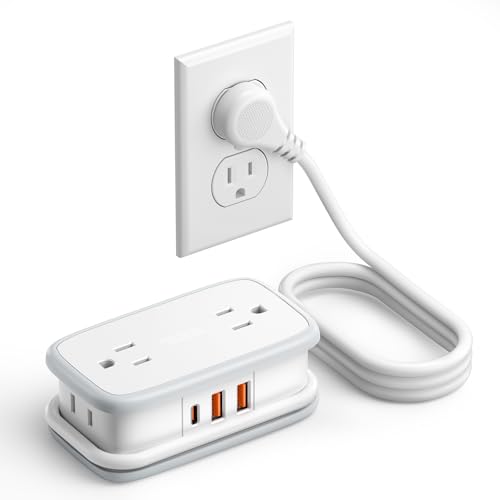
NTONPOWER 20W Travel Power Strip USB-C
- 20W USB-C Power Delivery for fast-charging iPhones and iPads
- Ultra-compact travel design fits in any bag
20W PD output charges an iPhone to 50% in about 30 minutes between excursions
View on Amazon
NTONPOWER Travel Power Strip (4FT Cord)
- 4-foot extension cord reaches from any cabin outlet to your nightstand or desk
- Multiple outlets plus USB ports
The 4-foot cord is a game-changer when the only outlet is behind the vanity mirror
View on AmazonReady to book a cruise? Browse 12,000+ live cruise deals on Cruisebound. Filter by destination, length, cabin type, and departure port to see today's pricing before you keep reading.
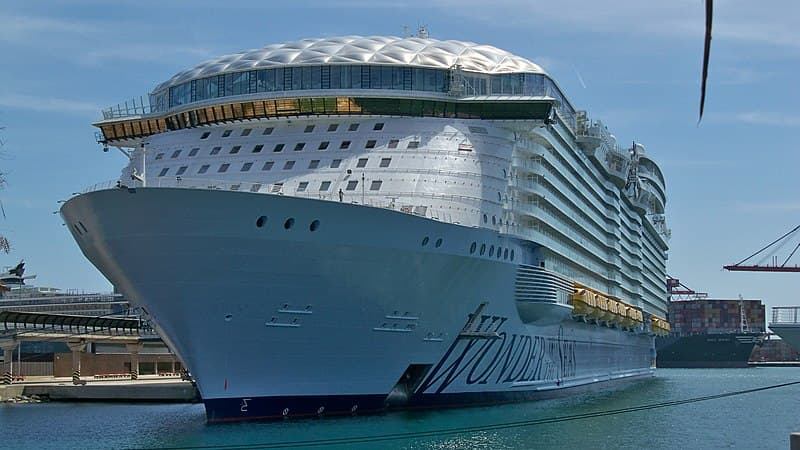
Royal Caribbean App

Available on: iOS, Android Rating: 4.6/5 (App Store), 4.3/5 (Google Play)
Royal Caribbean's app is the benchmark against which every other cruise line app is measured, and for good reason. It's the most feature-complete app in the industry.
Key Features
Pre-cruise check-in: Online check-in opens 45 days before sailing. The app walks you through document uploads (passport photo, selfie for facial recognition boarding), health questionnaires, and emergency contact information. A completed check-in earns you an arrival time window. Earlier completion often means earlier available windows.
Digital key: Your phone becomes your cabin key via Bluetooth. Hold your phone near the cabin door lock and it opens. This works on all Oasis-class, Quantum-class, and Icon-class ships, and most Freedom-class and Voyager-class ships have been retrofitted. You still get a physical SeaPass card as backup.
Activity booking: Browse and reserve shows, dining times, shore excursions, spa appointments, and specialty restaurants. The app shows real-time availability, so you can snag a cancellation for that sold-out Wonderland dinner at the last minute.
Onboard chat: Free text messaging between travel companions connected to the same reservation. No Wi-Fi purchase required. This alone is worth downloading the app. On a 6,000-passenger ship, coordinating with your group without constant phone calls is essential.
Real-time wait times: Check current wait times for water slides, specialty restaurants, and guest services before trekking across the ship. This feature, available on newer vessels, saves significant time.
Ship map and deck plans: Interactive maps showing your current location and routing to any venue, restaurant, or feature on the ship. Think of it as Google Maps for the ship.
Cruise Planner integration: Purchase drink packages, Wi-Fi, shore excursions, and specialty dining through the app before and during your cruise. Prices are often lower when purchased pre-cruise through the app.

OHOVIV 50,000mAh Portable Power Bank
- 50,000mAh capacity charges phones 8-10 times over
- Not flight-legal, ~185Wh exceeds the 160Wh airline limit, so it is barred from carry-on and checked bags
What Could Be Better
The app can be slow to load on embarkation day when thousands of passengers are using it simultaneously. Occasional crashes during high-traffic moments (dinner reservation openings, first-day check-in). The interface, while complete, can feel cluttered with promotional content.
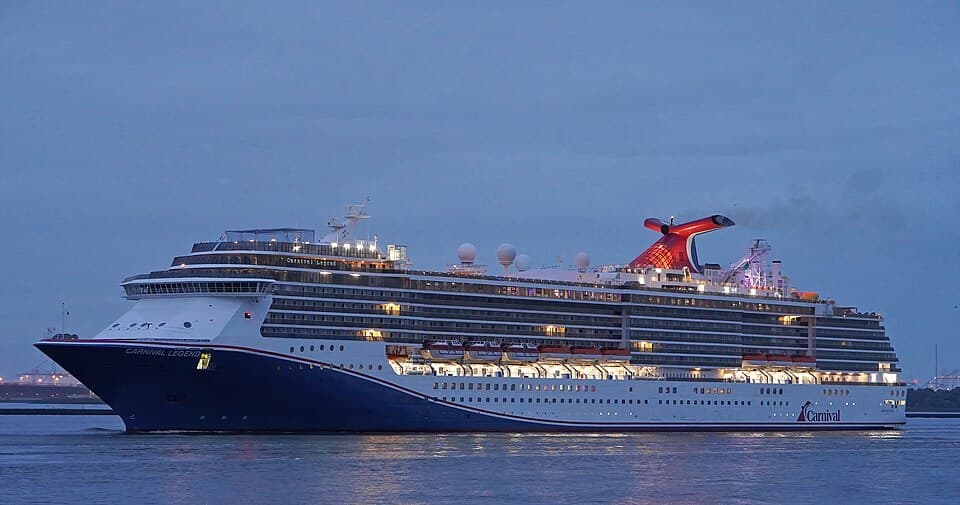
Carnival Hub App
Available on: iOS, Android Rating: 4.5/5 (App Store), 4.2/5 (Google Play)
Carnival's Hub app has matured significantly over the past two years and now rivals Royal Caribbean for usability.
Key Features
Pre-cruise check-in: Opens 30 days before sailing. The process is streamlined. Passport upload, selfie, health form, and payment method take about 10 minutes. Carnival assigns boarding groups based on loyalty status and check-in completion time.
Fun Shops: Pre-cruise purchasing for drink packages, Wi-Fi, shore excursions, spa services, and specialty dining. Carnival frequently runs sales through the app with prices 15-30% below onboard pricing.
Onboard chat: Free messaging between guests on the same ship. No Wi-Fi purchase needed. You can also call other passengers' cabins through the app.
Daily schedule (Fun Times): The complete daily activity schedule, searchable and filterable by category (comedy, music, family, fitness, trivia). This digital version replaced the printed Fun Times newsletter on most ships.
Dining: View menus for all restaurants, make specialty dining reservations, and check Your Time Dining wait times for the main dining room.
Casino tracking: Carnival's app integrates with the Players Club loyalty program, showing your points balance and tier status.
Selfie at Sea: Carnival's deck camera system lets you take photos that are automatically sent to your app. Fun feature, and it's included with the photo package.
What Could Be Better
Digital key functionality is available on newer ships only (Mardi Gras, Celebration, Jubilee, and the Excel-class). Older ships require the physical Sail & Sign card. The app doesn't show real-time wait times for attractions the way Royal Caribbean's does.
Norwegian Cruise Line App
Available on: iOS, Android Rating: 4.4/5 (App Store), 4.0/5 (Google Play)
Norwegian's app handles the basics well and has improved its interface significantly in 2026.
Key Features
Pre-cruise check-in: Opens 21 days before sailing. Passport upload, photo, health questionnaire. Norwegian uses a color-coded boarding pass system. Complete all steps to get a green pass for the fastest boarding.
Freestyle Daily: The digital version of Norwegian's daily activity schedule, fully searchable. Filter by time, category, or deck to find what's happening near you.
Dining reservations: Book all specialty restaurants (Cagney's, Le Bistro, Teppanyaki, Ocean Blue, and others) through the app. On Freestyle Dining ships, you can check real-time wait times for main dining rooms.
Onboard chat: Free messaging between guests. Norwegian's chat system also includes the ability to share location within the ship, which is useful on the larger Breakaway-Plus and Prima-class vessels.
Cruise Norwegian shopping: Pre-cruise purchases for packages and excursions at pre-cruise pricing.
Haven concierge (Haven guests only): Haven suite guests get a dedicated app section for contacting their butler, making restaurant reservations, and requesting cabin amenities.
What Could Be Better
No digital key. You still need the physical keycard for cabin access across the fleet. The app occasionally struggles with notification delivery for reservation reminders. Excursion booking through the app works but the interface is less polished than Royal Caribbean's or Carnival's.
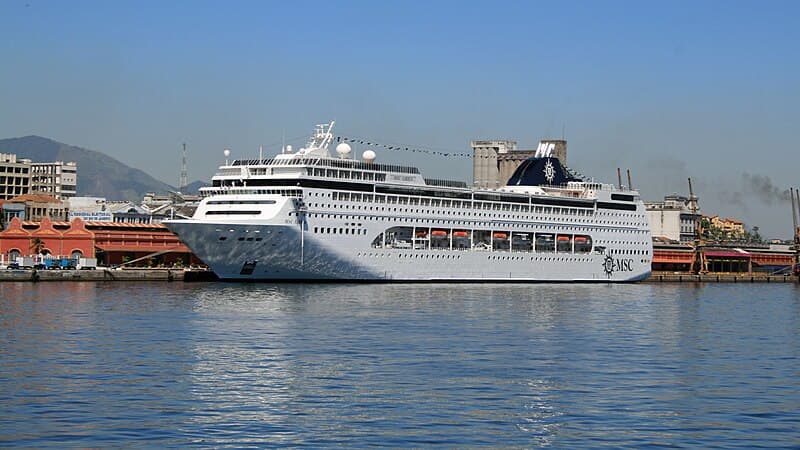
MSC for Cruise App
Available on: iOS, Android Rating: 4.1/5 (App Store), 3.7/5 (Google Play)
MSC's app has improved dramatically from its rocky early years but still lags behind the North American cruise lines in polish and reliability.
Key Features
Pre-cruise check-in: Opens 30 days before sailing. The process works but can be finicky with document photo uploads. Lighting and angle requirements are strict. Multiple attempts may be needed.
Daily program: Browse the ship's activity schedule with time and location filters. The interface is clean and functional.
Dining reservations: Book specialty restaurants and view menus. MSC Yacht Club members (the line's ship-within-a-ship luxury section) get priority booking and a dedicated app section.
Onboard chat: Free messaging between passengers on the same booking. MSC's chat also supports sending photos, which most competitors' chat systems do not.
MSC for Me interactive features: On newer ships (Meraviglia-class, Seaside-class, World-class), the app integrates with the ship's interactive displays and wayfinding systems.
What Could Be Better
The app can be sluggish, particularly on embarkation day. Some features that competitors include (real-time wait times, interactive ship maps with routing) are absent. The app's language support is excellent (reflecting MSC's international passenger base), but English translations occasionally feel awkward. No digital key functionality.
Celebrity Cruises App
Available on: iOS, Android Rating: 4.5/5 (App Store), 4.1/5 (Google Play)
Celebrity's app shares technological DNA with Royal Caribbean (same parent company) and benefits from that investment.
Key Features
Pre-cruise check-in: Opens 45 days before sailing. Same streamlined process as Royal Caribbean. Document uploads, facial recognition photos, health forms.
Digital key: Available on Edge-class and most Solstice-class ships. Phone-as-cabin-key via Bluetooth, plus QR code for onboard purchases.
Today at Sea: Celebrity's daily schedule, beautifully designed and easy to navigate. Filter by interests, time, or venue.
Restaurant reservations: Book all specialty venues (Le Petit Chef, Fine Cut Steakhouse, Raw on 5, and others). The app shows real-time availability and allows cancellation without penalty.
Onboard chat: Free messaging between guests. Celebrity's implementation is clean and reliable.
Celebrity Cruises shore excursion booking: Full excursion catalog with descriptions, photos, reviews from past guests, and real-time availability.
What Could Be Better
Feature set is nearly identical to Royal Caribbean but with fewer ship-specific enhancements (no real-time ride wait times, smaller ship venues make this less necessary). The Retreat (suite) concierge features could be more sturdy.
Disney Cruise Line Navigator App
Available on: iOS, Android Rating: 4.7/5 (App Store), 4.5/5 (Google Play)
Disney's app has the highest ratings of any cruise line app, and it earns them with a polished, intuitive experience designed for families.
Key Features
Pre-cruise online check-in: Opens 30 days before sailing. Disney's process is thorough. Port arrival agreements, dining rotation preferences, and activity interest surveys help the crew personalize your experience.
Rotational dining: Disney's unique rotational dining system (where you move to a different restaurant each night, but your servers follow you) is managed through the app. View your rotation schedule, see tonight's menu, and check your dining time.
Kids' club registration: Pre-register children for Oceaneer Club and Oceaneer Lab through the app, saving time on embarkation day. Check-in and check-out notifications are sent to parents' phones in real-time.
Character meet-and-greet schedule: View all character appearance times and locations, the feature Disney families care about most. No more guessing where Elsa will be at 3 p.m.
Activity schedule (Personal Navigator): Disney's daily schedule is filterable by age group (adults, families, teens, kids), making it easy to find age-appropriate activities.
Onboard chat: Free messaging between family members. Disney's implementation is reliable and simple to use.
Deck-by-deck maps: Interactive maps of every deck with current location tracking.
What Could Be Better
No digital key, physical Key to the World card required for all cabin access and purchases. Pre-cruise purchasing options are more limited than competitors. Specialty dining and excursion booking works but has fewer filtering options. Disney's Castaway Club loyalty status isn't well integrated into the app experience.
Quick Comparison: Feature Matrix
Feature | Royal Caribbean | Carnival | Norwegian | MSC | Celebrity | Disney |
|---|---|---|---|---|---|---|
Pre-cruise check-in | 45 days | 30 days | 21 days | 30 days | 45 days | 30 days |
Digital cabin key | Yes | Newer ships | No | No | Yes | No |
Onboard chat (free) | Yes | Yes | Yes | Yes | Yes | Yes |
Real-time wait times | Yes | Limited | Limited | No | Limited | No |
Interactive ship map | Yes | Yes | Yes | Newer ships | Yes | Yes |
Activity booking | Yes | Yes | Yes | Yes | Yes | Yes |
Dining reservations | Yes | Yes | Yes | Yes | Yes | Yes |
Shore excursion booking | Yes | Yes | Yes | Yes | Yes | Yes |
Pre-cruise purchases | Yes | Yes | Yes | Yes | Yes | Limited |
Photo sharing | Yes | Yes | No | Yes | Yes | Yes |
Loyalty integration | Yes | Yes | Yes | Yes | Yes | Limited |
Tips for Getting the Most Out of Your Cruise App
Before You Board
Download the app 30-45 days before sailing, don't wait until you're at the port. Check-in opening dates vary by line, but earlier is always better.
Complete every step of online check-in. Upload documents, add payment methods, fill in health forms. A 100% completed check-in gets you through the terminal faster.
Book dining reservations immediately when they open. Popular specialty restaurants (Wonderland on Royal Caribbean, Teppanyaki on Norwegian) sell out fast. Set a reminder for when bookings open.
Browse shore excursions and add favorites. Even if you don't book yet, knowing what's available at each port helps with planning.
Add all travel companions to your reservation in the app. This enables the onboard chat feature for everyone in your group.
Once Onboard
Connect to the ship's Wi-Fi network (usually named after the ship) even if you don't buy an internet package. The app's core features run on the ship's internal network for free.
Enable notifications for dining reservations, show times, and port arrival alerts.
Check the app each morning for the day's schedule instead of looking for a paper newsletter. Most lines have phased out printed dailies entirely.
Use onboard chat instead of texting. Your cell phone's text messages use expensive satellite data. The app's chat is free.
Check real-time wait times before heading to popular venues, the guest services desk, or water slides.
The Verdict: Which App Is Best in 2026?
Overall winner: Royal Caribbean. The most features, the most polished experience, and the most consistent performance across the fleet. Digital key, real-time wait times, complete activity booking, and strong Cruise Planner integration make it the app that every other line is trying to match.
Best for families: Disney Cruise Line. Character schedules, kids' club integration, age-filtered activities, and a beautifully designed interface make this the most family-friendly app.
Most improved: MSC for Cruise. While still behind the leaders, MSC's app has made significant strides in stability and feature completeness.
Best value features: Carnival Hub. Fun Shops pre-cruise deals, casino integration, and the free chat system make this a strong practical choice.
Regardless of which line you're sailing, the app is no longer optional, it's essential. Download it early, learn its features, and you'll have a smoother, more organized cruise from embarkation to disembarkation.
For help tracking your ship's live position once you're onboard, check our real-time cruise ship map. And for a full rundown of what to do on embarkation day, see our embarkation day checklist.