
Working remotely from a cruise ship used to be a fantasy. Satellite internet was painfully slow, connection drops were constant, and a single email with an attachment could take 20 minutes to send. That era is over.
Thanks to Starlink and other low-earth-orbit satellite systems, cruise ship WiFi has undergone a genuine revolution since 2023. Several cruise lines now offer speeds fast enough for video calls, cloud-based work, and even streaming. But the experience is far from uniform. Some ships deliver reliable 50+ Mbps connections. Others still crawl at dial-up speeds in the middle of the ocean.
This guide gives you a realistic picture of what working remotely from a cruise ship looks like in 2026 -- the real speeds, the real costs, the best and worst cruise lines for connectivity, and practical strategies for staying productive at sea.
Need Starlink for the workday? See sailings on lines with Starlink on Cruisebound →
WiFi Speeds by Cruise Line (2026)

Not all cruise ship WiFi is created equal. The biggest differentiator is whether a cruise line has adopted Starlink (SpaceX's low-earth-orbit satellite internet) or still relies on traditional geostationary satellite connections.
Starlink-Equipped Cruise Lines
These cruise lines have deployed Starlink across their fleets, delivering dramatically improved speeds:
Cruise Line | Avg Download Speed | Avg Upload Speed | Notes |
|---|---|---|---|
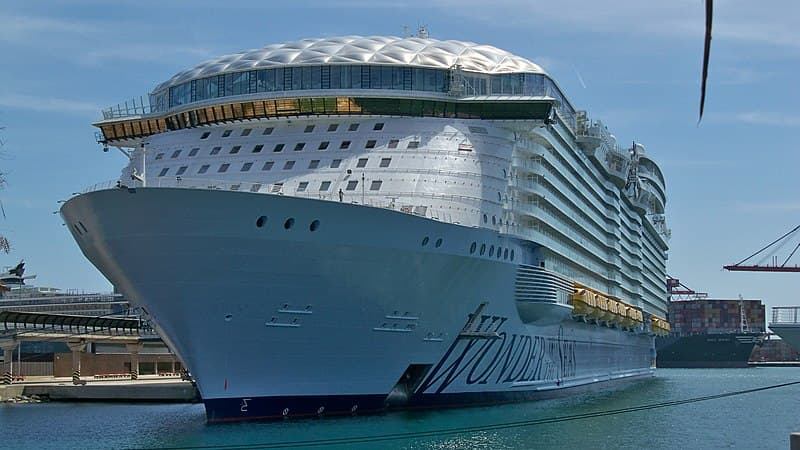
Royal Caribbean | 50-150 Mbps | 10-30 Mbps | Starlink on all ships since late 2023. Consistently the fastest WiFi at sea. |
40-100 Mbps | 10-25 Mbps | Starlink fleet-wide. Same parent company as Royal Caribbean. | |
30-80 Mbps | 5-15 Mbps | Starlink across the fleet. Speeds vary by ship age and passenger load. | |
20-60 Mbps | 5-15 Mbps | Starlink deployed on most ships. Older ships may have slower peak speeds. | |
20-50 Mbps | 5-10 Mbps | Starlink on newer ships. Older ships still on legacy satellite with slower speeds. |
Non-Starlink or Mixed Fleets
Cruise Line | Avg Download Speed | Avg Upload Speed | Notes |
|---|---|---|---|
Viking Ocean | 10-30 Mbps | 3-8 Mbps | Included for all guests. Adequate for email and browsing. Video calls possible but inconsistent. |
15-40 Mbps | 5-10 Mbps | MedallionNet is capable but speed varies significantly by region and load. | |
Holland America | 10-25 Mbps | 3-8 Mbps | Improving but still behind Starlink-equipped competitors. |
Disney Cruise Line | 10-20 Mbps | 3-5 Mbps | Slowest among major lines. Adequate for casual use, challenging for remote work. |
Key takeaway: If remote work is a priority, choose Royal Caribbean, Celebrity, or Norwegian. Their Starlink connections are the closest thing to land-based internet you will find at sea.
WiFi Package Costs Comparison
Cruise ship WiFi is not cheap, but prices have stabilized as Starlink has made bandwidth more abundant. Here is what to expect:

Cruise Door Organizer 24 Pockets Magnetic
- 24 clear pockets attach magnetically to the metal cabin door
- Holds sunscreen, lanyards, snacks, and small items
The single most recommended cruise hack, turns your cabin door into instant storage
View on AmazonRoyal Caribbean

5-Pack Cruise Lanyards Waterproof
- Waterproof holders protect your cruise card at the pool and on excursions
- Five lanyards for the whole family
Your cruise card is your key, wallet, and ID, a waterproof lanyard keeps it safe and accessible
View on AmazonSurf Package: ~$15-18/day (browsing, email, social media; no streaming or video calls)
Surf + Stream: ~$20-25/day (streaming, video calls, full speed)
Pre-cruise pricing: 10-30% cheaper when purchased before embarkation through the Cruise Planner
Unlimited plans available for the full voyage
Norwegian Cruise Line
Basic Internet: ~$15/day (email, messaging, light browsing)
Premium Internet: ~$25-30/day (streaming, video calls, full access)
Free At Sea promo: Basic WiFi often included with the Free At Sea package (check current deals)

Aerotrunk Compression Packing Cubes 4-Pack
- Double-zipper compression cuts volume by up to 60%
- Four sizes cover every clothing type
Compression cubes are the single best way to fit a week of cruise outfits into a carry-on
View on AmazonCarnival Cruise Line
Social Plan: ~$12-15/day (social media, messaging apps)
Value Plan: ~$17-20/day (browsing, email, social media)
Premium Plan: ~$22-25/day (full speed, streaming, video calls)
Celebrity Cruises
Always Included fare: Basic WiFi included in the fare
Premium WiFi upgrade: ~$10-15/day above the Always Included base
Streaming-capable plan: ~$20-25/day
Viking Ocean Cruises
Included for all guests -- No WiFi charge. Speeds are moderate (10-30 Mbps) but sufficient for email, browsing, and light work. Video calls are hit-or-miss depending on location.
Cost-Saving Tips
Buy before you board. Pre-cruise WiFi packages are almost always 10-30% cheaper than onboard pricing.
Share one plan. Many cruise lines allow one device per plan. If you and your partner alternate usage, one premium plan may suffice.
Use port WiFi for heavy uploads. Save large file transfers for port days when you can use cafe or hotel WiFi (see below).
Check bundle deals. Princess Plus, Norwegian's Free At Sea, and Celebrity's Always Included often bundle WiFi with drinks and other perks at a better overall value.
Best Cruise Lines for Remote Work
Ranking cruise lines specifically for remote work capability, considering WiFi speed, reliability, workspace availability, and cost:
Tier 1: Fully Work-Capable
Royal Caribbean -- Fastest and most reliable Starlink connection. Video calls work consistently. Large ships have plenty of quiet corners. WiFi costs $20-25/day for the streaming tier.
Celebrity Cruises -- Same Starlink infrastructure as Royal Caribbean with a quieter, more refined atmosphere. The library, Retreat lounge (for suite guests), and multiple bars offer good workspace options during off-peak hours.
Norwegian Cruise Line -- Strong Starlink speeds. The Haven lounge (for suite guests) is an ideal workspace. The Observation Lounge at the front of the ship is quiet during mornings.
Tier 2: Workable with Planning
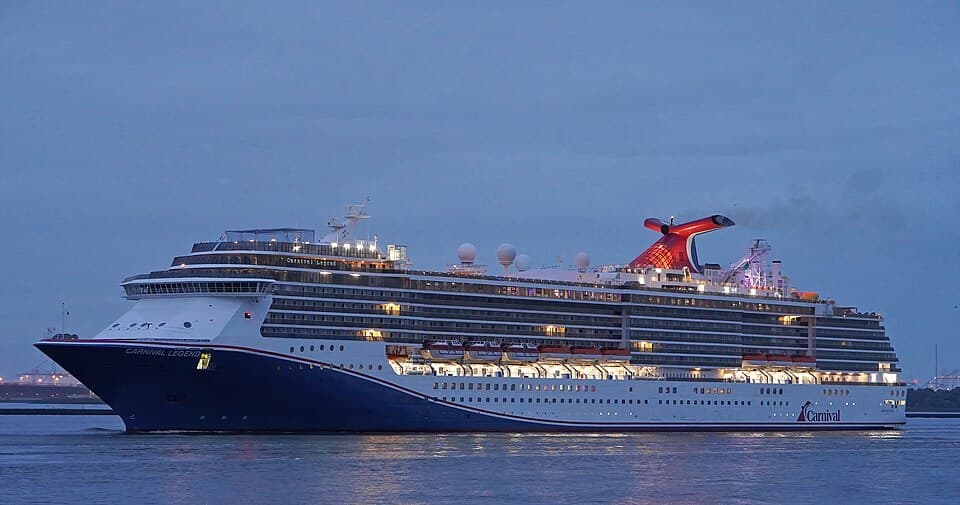
Carnival Cruise Line -- Starlink speeds are good but the ship environment is louder and more party-oriented. Finding a quiet workspace requires effort. Early mornings in the library or specialty restaurants before they open are your best options.
Princess Cruises -- MedallionNet is decent. Ships have excellent quiet spaces including the library, International Cafe, and The Sanctuary (adults-only deck).
Tier 3: Challenging but Possible
Viking Ocean -- WiFi is included but slower. Fine for email and cloud documents. Video calls with camera off usually work. Camera on is unreliable in open ocean.
Holland America / Disney -- Possible for light email and messaging. Not recommended for anyone who needs video calls or real-time collaboration tools.
Video Call Quality: Setting Realistic Expectations
This is the make-or-break question for remote workers. Here is the honest truth about video calls on a cruise ship in 2026:
What Works
Zoom, Teams, and Google Meet audio calls -- Reliable on Starlink-equipped ships (Royal Caribbean, Celebrity, Norwegian) with the premium WiFi plan
Video calls with camera on -- Work about 80% of the time on Starlink ships during non-peak hours (morning, late night). Expect occasional pixelation and 1-2 second delays.
Screen sharing -- Generally works on Starlink ships but can lag with complex presentations
What Does Not Work Well
Video calls during peak internet hours (7:00-10:00 PM) -- This is when 3,000+ passengers are streaming movies, posting on social media, and FaceTiming family. Bandwidth congestion is real.
Large file uploads during video calls -- Do not try to upload a 500 MB file while on a Zoom call. Schedule uploads for off-peak hours.
Multiple simultaneous video streams -- If you are on a Teams call while your partner streams Netflix, both will suffer.
Pro Tips for Video Calls
Schedule calls for 7:00-9:00 AM ship time when internet usage is lowest
Turn off your camera when possible. Audio-only calls use 90% less bandwidth
Use a headset or earbuds. Ship background noise (engine hum, announcements) is noticeable on speakerphone
Close all other browser tabs and apps before joining
Download documents and presentations before the call so you are not loading them in real-time
Have a backup plan: "If the connection drops, I will rejoin in 2 minutes" -- communicate this to your team in advance
Port WiFi Alternatives
Do not pay for ship WiFi when you can use free or cheap WiFi in port. Most Caribbean and Mediterranean ports have reliable internet options:
Best Port WiFi Options
Starbucks, McDonald's, and international chain cafes -- Free WiFi in most port cities. Speeds are often 20-50 Mbps.
Local cafes and co-working spaces -- Increasingly available in major port cities. Google "co-working space near [port name]" before your trip.
Hotel lobbies -- Many waterfront hotels offer lobby WiFi that you can use while ordering a coffee at their bar.
Local SIM cards or eSIMs -- For $10-30, you can get a local data SIM or eSIM with 5-10 GB of fast LTE data. Airalo and Holafly are popular eSIM providers that work in most Caribbean and European countries.
Ports with Excellent Free WiFi
San Juan, Puerto Rico -- Free WiFi throughout Old San Juan. US cell service works normally (no roaming for US carriers).
Philipsburg, St. Maarten -- Multiple cafes with fast WiFi near the cruise port.
George Town, Grand Cayman -- Free public WiFi in the port area and downtown.
Cozumel, Mexico -- Numerous cafes and restaurants with free WiFi in the downtown area (5-minute taxi from port).
Planning Your Work Around Port Days
If you have critical meetings or deadlines, align them with port days when possible. Start your morning on the ship (using ship WiFi for light tasks), go ashore to a cafe with fast WiFi for your calls and heavy uploads, then enjoy the port in the afternoon.
Quiet Workspaces on Cruise Ships
Finding a productive workspace on a ship is surprisingly important. Your cabin is small, the pool deck is loud, and the buffet area is chaotic. Here are the best spots:

Mifaso Cruise-Approved Power Strip
- Cruise-approved (no surge protector) with multiple USB ports
- Compact design fits perfectly on the narrow cabin nightstand
Cruise cabins have limited outlets, this solves the charging problem without tripping ship safety rules
View on AmazonLibrary
Almost every cruise ship has a library, and almost nobody uses it. Expect comfortable seating, quiet surroundings, and often a good view. The catch: they are sometimes small and lack power outlets.

DIYMAG Magnetic Hooks 6-Pack
- Super-strong neodymium magnets stick to cabin walls and ceilings
- Hang hats, bags, towels, and lanyards anywhere
Cruise cabin walls are steel, magnetic hooks turn every surface into storage
View on AmazonObservation Lounge (Forward)
The forward observation lounge (called the Viking Living Room on Viking, the Observation Bar on Silversea, or Horizons Lounge on Holland America) is typically empty in the morning. Panoramic windows, comfortable seating, and a bar that opens later in the day.
Specialty Restaurants Before Service
Many specialty restaurants sit empty from 8:00 AM until lunch service begins at noon. Ask a crew member if you can sit and work. They will often say yes, especially if the restaurant has WiFi reach and power outlets.
The Spa Thermal Suite
If you have a thermal suite pass, the relaxation lounge is quiet, comfortable, and rarely crowded before noon. Not ideal for typing (you might get strange looks with a laptop), but great for reading and light work on a tablet.
Your Balcony
If you booked a balcony cabin, your private outdoor space is a legitimate workspace for tasks that do not require a large monitor. Bring a portable laptop stand and work with an ocean view. WiFi signal reaches balcony cabins on most modern ships.
Tax and Legal Considerations
Working remotely from a cruise ship introduces some legal and tax considerations worth understanding:
Tax Implications
US-based employees: Working from a cruise ship in international waters generally does not create additional tax obligations for US taxpayers. You are still subject to your normal federal and state taxes.
Port days in foreign countries: Spending a few hours working from a cafe in Cozumel or St. Maarten does not trigger tax obligations in those countries. Tax nexus typically requires sustained physical presence (30-180+ days depending on the jurisdiction).
Digital nomads on extended cruises: If you are on a multi-month cruise or world cruise, consult a tax professional. Extended periods outside your home country can affect tax residency status.
Employer Policies
Check your company's remote work policy. Some employers restrict work to specific countries or regions. International waters and foreign ports may fall outside approved locations.
VPN access. Some corporate VPNs block connections from international IP addresses. Test your VPN connection on day one and contact IT if needed.
Data security. Public WiFi (including cruise ship WiFi) is a shared network. Use a VPN for any sensitive work, and avoid accessing banking or confidential documents on unsecured connections.
Time Zone Management
Cruise ships change time zones as they sail. A Caribbean cruise from Florida may shift one hour, but a transatlantic crossing changes by 5-6 hours over the course of the voyage.
Set your phone to ship time (displayed on your TV and the ship's app)
Communicate clearly with colleagues about which time zone you are referencing
Block your calendar for meetings at unusual hours and explain the time shift in advance
Consider scheduling meetings during your port mornings when you have reliable shore-based WiFi
Quick Tips for Working on a Cruise
Test your WiFi package on the first day. If the basic plan is too slow, upgrade to premium immediately rather than struggling for days.
Download everything you need before boarding: documents, presentations, reference materials, offline music. Assume you will have limited bandwidth and plan accordingly.
Bring a portable power bank and a multi-port charger. Cabin outlets are limited (often just 1-2 standard outlets and one USB port).
Bring a compact Bluetooth keyboard if you work on a tablet.
Set "Do Not Disturb" on your cabin door during work hours so housekeeping does not interrupt.
Accept that some days the internet will not cooperate. Have offline work ready (writing, planning, reviewing documents) for those moments.
Final Thoughts
Working remotely from a cruise ship is genuinely viable in 2026, but it requires the right cruise line, the right expectations, and a bit of planning. Choose Royal Caribbean or Celebrity for the best Starlink speeds, buy the premium WiFi package before you board, schedule important calls for mornings or port days, and find your quiet workspace on day one.
The trade-off is real: you will not have the same connection reliability as your home office. But the view from your "office" will be dramatically better. And on the days when the WiFi cooperates and the work flows, there is nothing quite like closing your laptop at 5:00 PM and walking straight to the pool deck for sunset.
Track cruise ships with the best WiFi on our site, compare cruise line amenities, or explore our cruise tools for planning your working voyage.